-
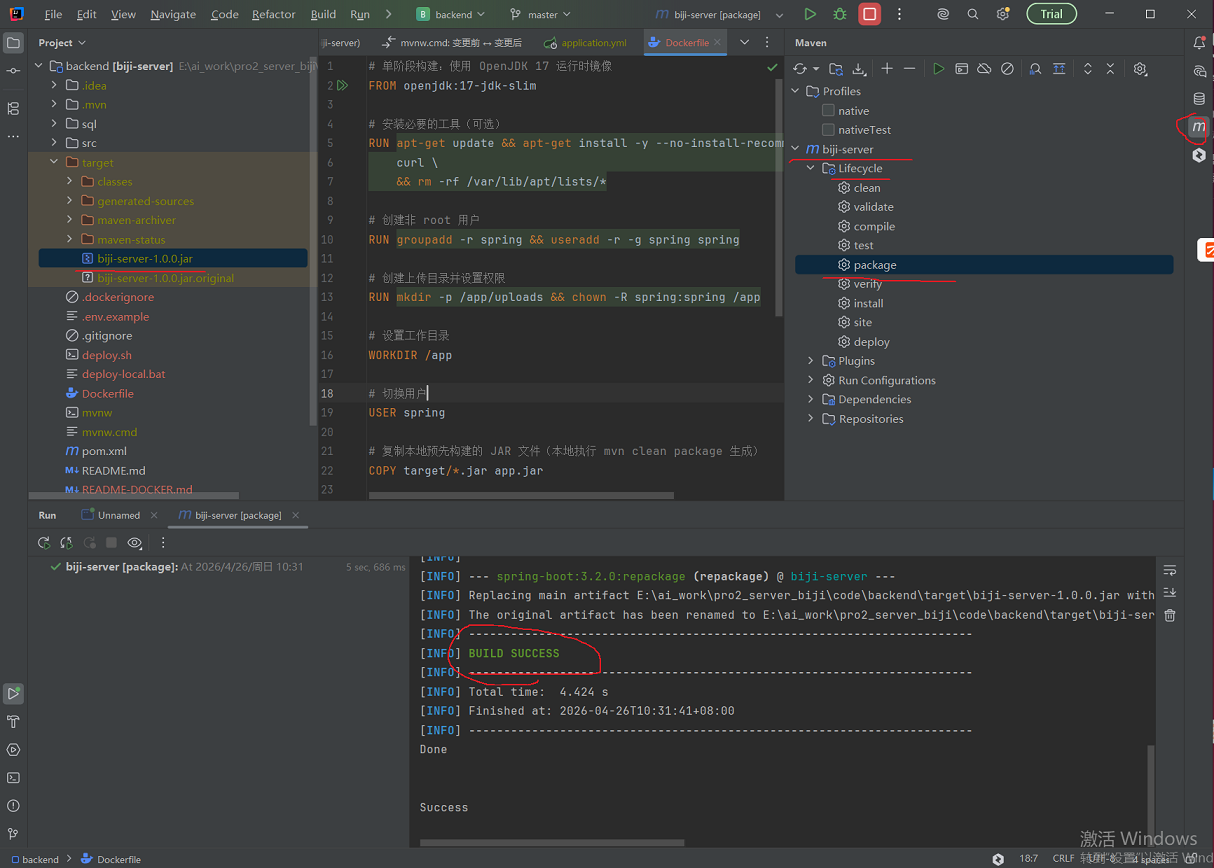
SpringBoot项目打包
-
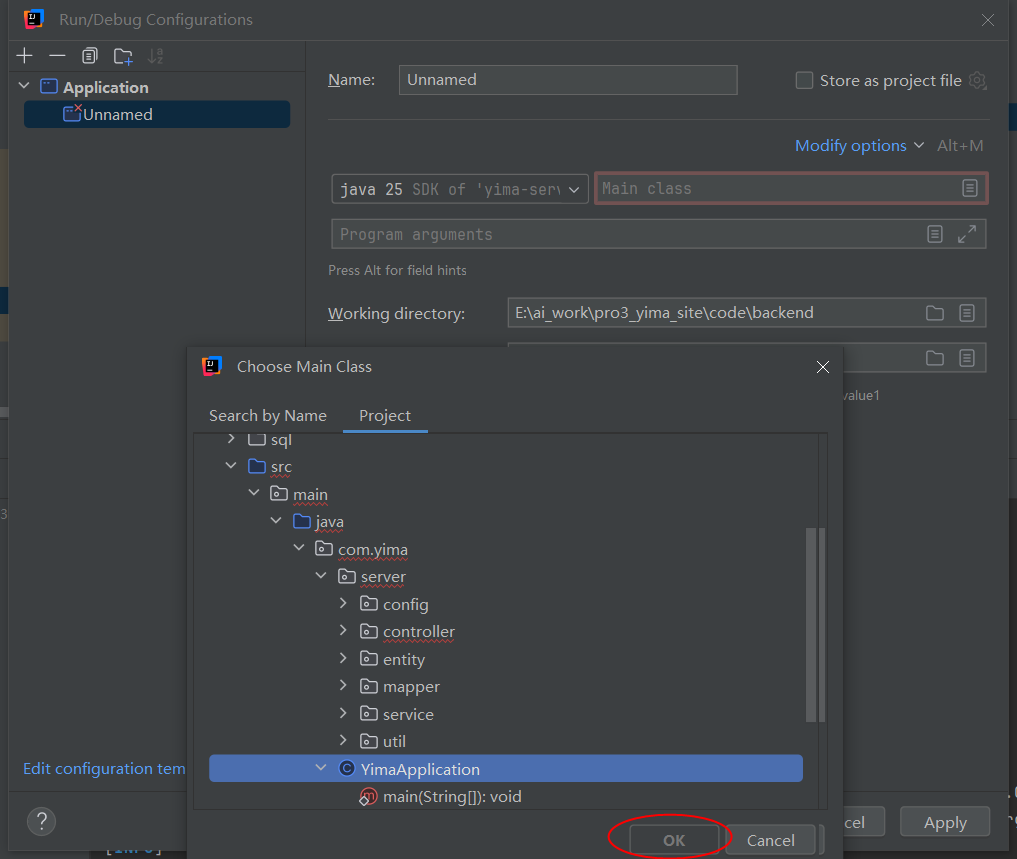
SpringBoot项目配置Run Configurations Main class 无法选中Application类
解决方法:
在 Project 视图中右键点击 pom.xml → 选择 "Add as Maven Project"
或者点击右侧 Maven 工具窗口的刷新按钮 🔄 重新导入
等待 Maven 导入完成后,再配置 Run Configuration
- 无法run的问题
java: Cannot compile module 'yima-server' configured for JVM target 17: the specified fallback SDK version 8 does not support the required jvm target 17.
java: Please add JDK 8 or later to Project Structure | Platform Settings | SDKs. The added JDK should support cross-compilation for JVM target 17. This JDK will be automatically picked by the IDE to compile for older JVM targets.
解决办法:统一jdk
1. 设置项目 SDK:

File → Project Structure → Project
Project SDK: 选择 C:\Program Files\Java\jdk-17
Project language level: 选择 17
2. 设置模块 SDK:

File → Project Structure → Modules
选择 yima-server 模块
Language level: 选择 17
Module SDK: 选择 17(不是 default 或 8)
0 条评论